Simple Steps to Convert CSV Files into vCard Format
Step 1
Firstly, download and install the CloudMigration CSV to VCF Converter Tool.
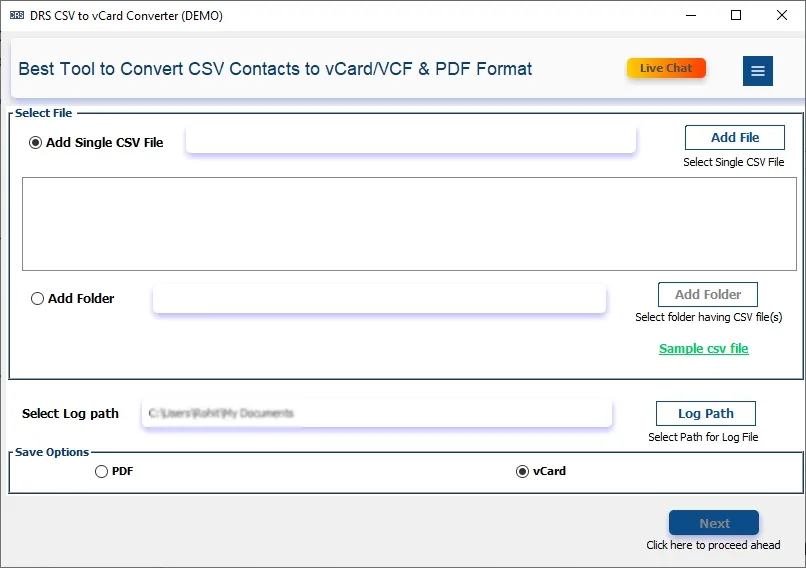
Step 2
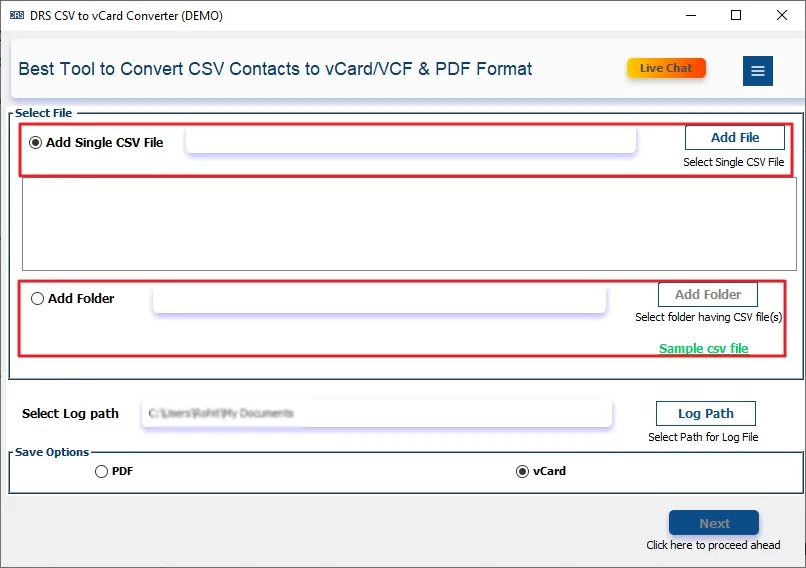
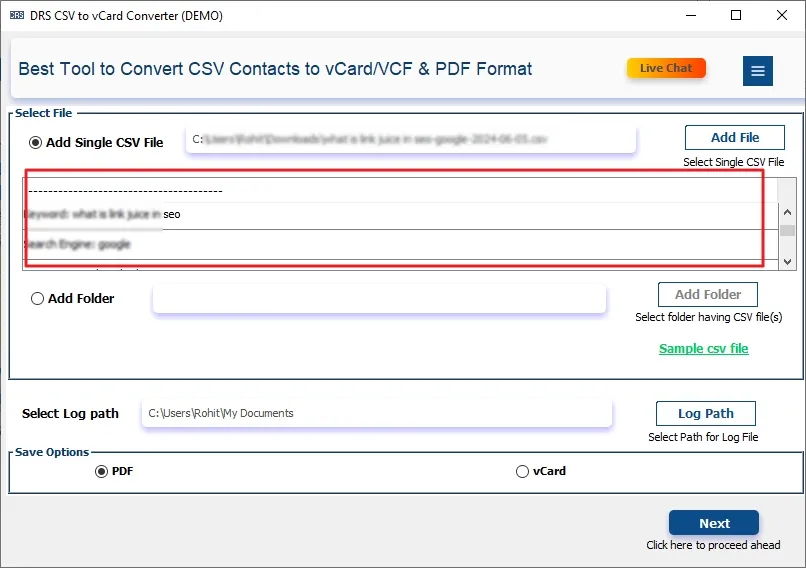
Now, choose Add Single File(s)/Add Single Folders.
Step 3
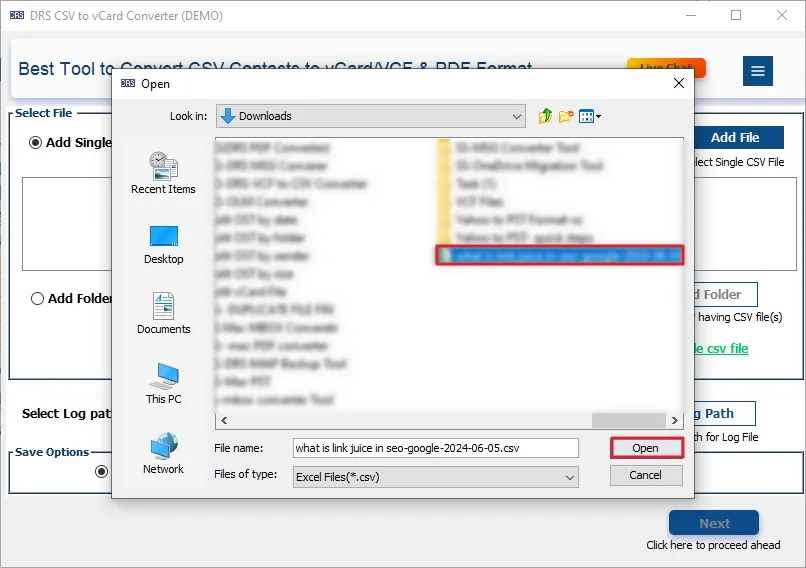
Then, add the CSV file that you want to convert and click Open.
Step 4
After that, select the CSV file and tap Next.
Step 5
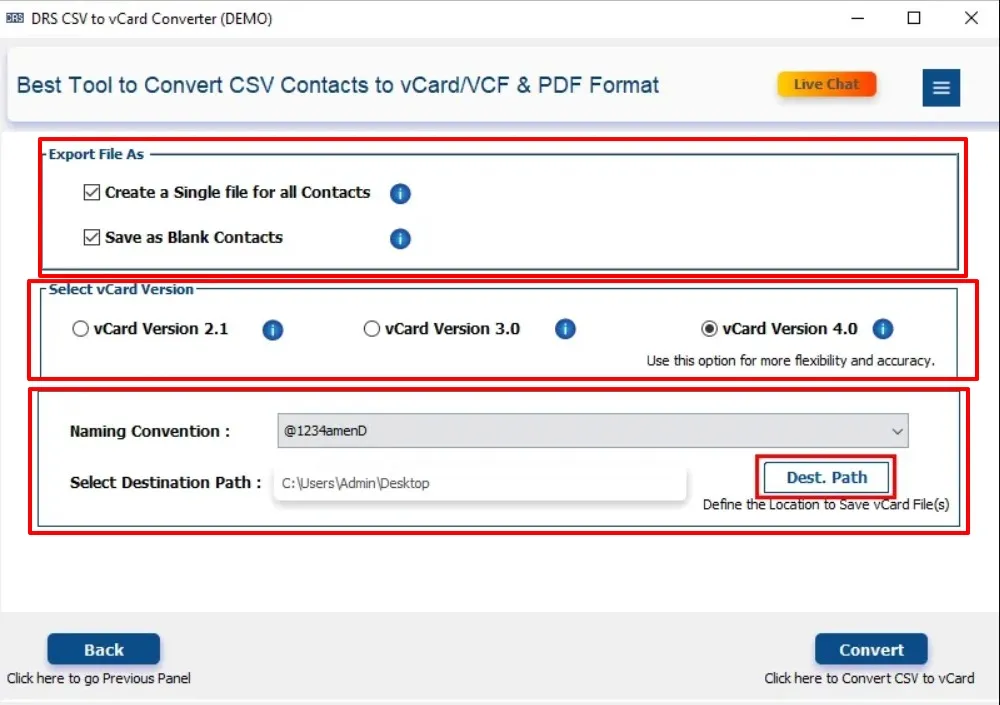
Further, apply the advanced filters:
- Export File As: You can either create a single file or save as blank contacts.
- Select vCard Version: You can choose the version according to your needs.
- Naming Conventions: You can save the file according to your selected file name.
- Select the destination path, and click Next.
Step 6
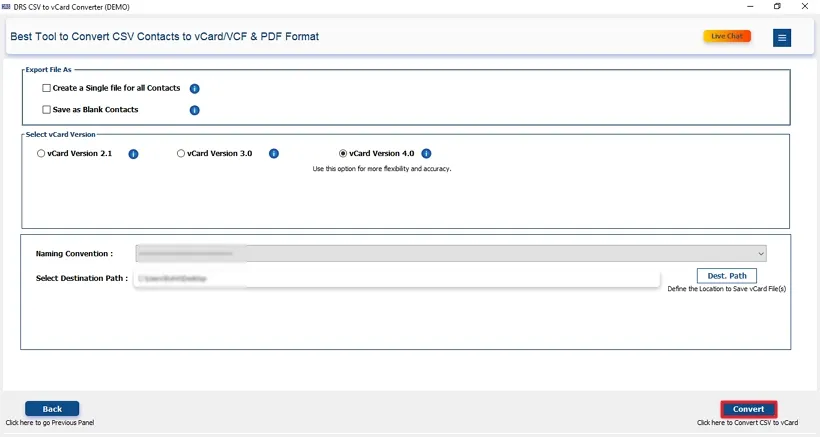
Subsequently, hit Convert to start the migration process.
Step 7
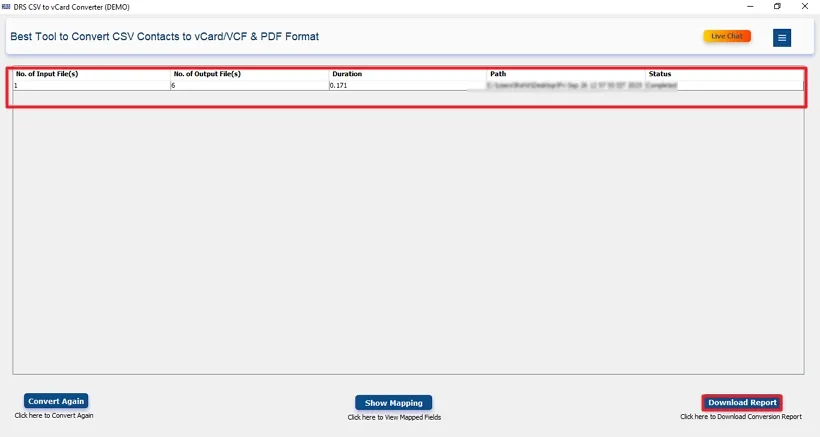
Lastly, download the conversion report if needed.